003 004 Ripple Stitch
title: “Ripple Stitch” permalink: /docs/stitches/ripple-stitch/ last_modified_at: 2025-04-11 toc: true –
What is it?
 Ripple stitch is part running stitch and part fill. It behaves like a running stitch, in that it follows a path/stroke. It also behaves like a fill, in that it spreads outward from the line to cover or fill an area. It creates soft bands that resemble ripples, hence the name.
How to create it
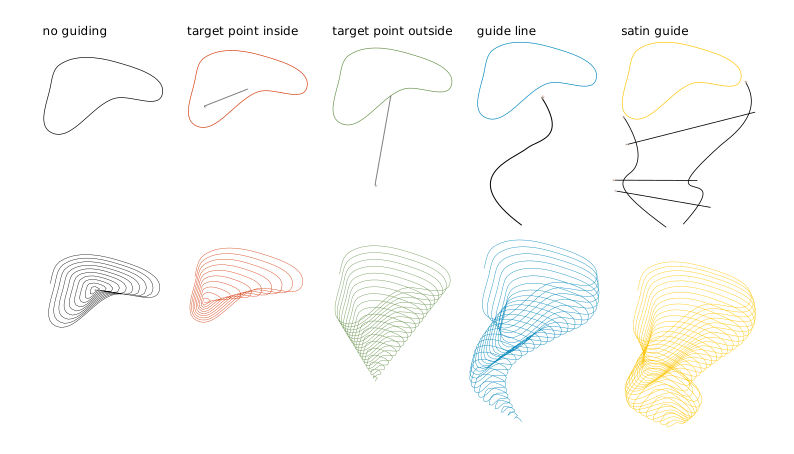
Closed shapes will be filled with a spiral (circular ripples). Open shapes will be stitched back and forth (linear ripples).
Circular Ripples
- Create one closed path and apply a stroke color.
- Keep it as a single path only. Avoid combined paths like shapes with holes.
- Optional: Create target points or guides. target point or guides
- Open the Params dialog: Extensions, Ink/Stitch, then Params.
- Set Method to Ripple.
- Adjust the Ripple settings you want.
- Click Apply.
Linear Ripples
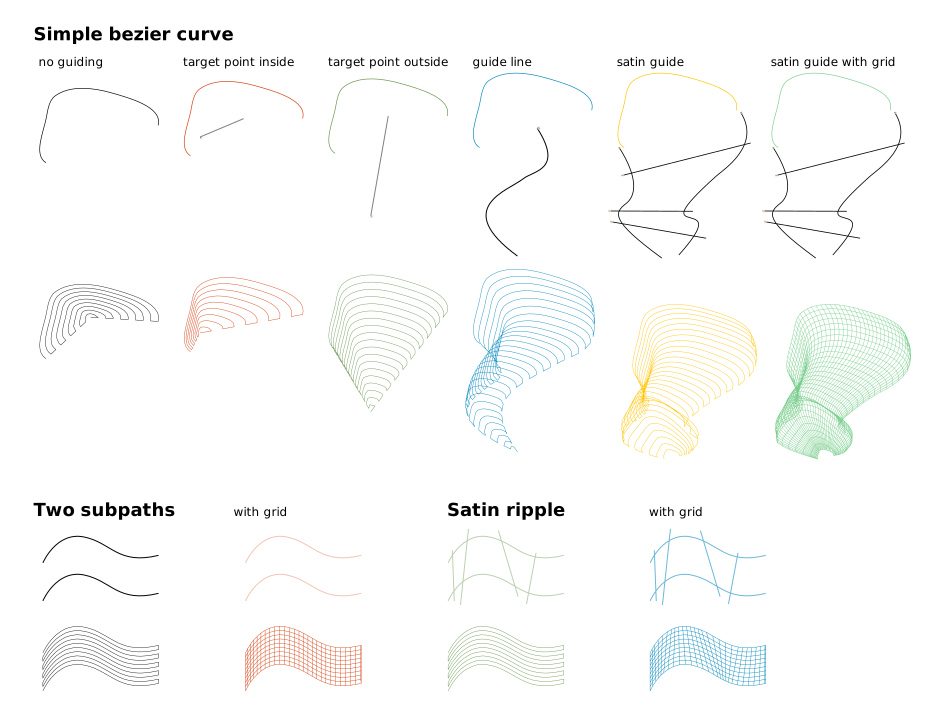
Linear ripples can be created in various ways. It can be a simple curve or it can be constructed like a satin column.
- Create a open shape (simple stroke, two combined strokes or even a satin column)
- Create target point or guides (optional)
- Open params dialog (
Extensions > Ink/Stitch > Params) and set themethodtoRipple. - Set params to your liking and apply
Looping ripples
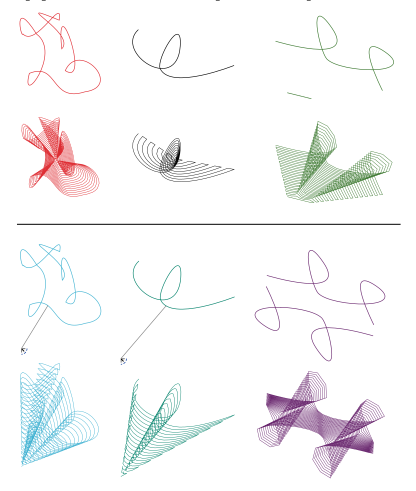
Loops are allowed and welcomed in any ripple path. Use loops to achieve special nice effects.
Guiding ripples
Ripples with only one subpath (closed shape or a simple bezier curve) can be guided in either of the three following methods.
Target point
Define a ripple target position with visual command:
- Open
Extensions > Ink/Stitch > Commands > Attach Commands to selected objects ... - Select
Target positionand apply - Select the symbol and move it to the desired position
If no guiding information is provided, the center of the path is used as the target.
Guide line
- In the very same group (no subgroup) of the ripple stitch object create a stroke curve with the bezier tool, starting close to the ripple curve, leading away from it.
- Select that curve and run
Extensions > Ink/Stitch > Edit > Selection to guide line. - Select the ripple curve and run params. Adapt the parameters to your liking.
Satin guide
With satin guides you will have the ability to lead the ripples precisely using the satin rung method. The width of the satin guide will also have an effect on the ripple width. The positioning of the original ripple shape will be ignored and it will start where the satin begins.
- In the very same group of the ripple stitch object create a satin column like object with rails and rungs.
- Select the newly created object and run
Extensions > Ink/Stitch > Edit > Selection to guide line. - Select the ripple object and run params. Adapt parameters to your liking.
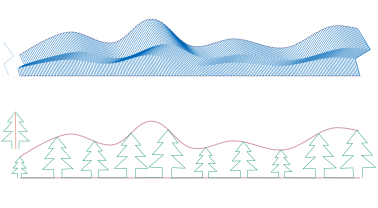
The pattern for satin guided ripples can be adjusted in its direction with the help of a so-called anchor line.
- Draw a line from top to bottom across the pattern. The positioning corresponds to the satin rungs.
- Select the line and mark it as an anchor line via
Extensions > Ink/Stitch > Edit > Selection to anchor line.
Params
| Params | Description | |
|---|---|---|
| Running stitch along paths | Must be selected to use these settings. | |
| Method | Determines which stitch to use. Select Ripple stitch |
|
| Repeats | Determines how many times to stitch along the path ◦ Default: 1 (traveling once from the start to the end of the path) ◦ Odd number: stitches will end at the end of the path ◦ Even number: stitching will return to the start of the path |
|
| Bean stitch number of repeats | Determines the number of times to repeat each stitch. ◦ A value of ‘0’ does not repeat the stitch (normal stitch) ◦ A value of ‘1’ repeats each stitch three times (forward, back, forward). ◦ A value of ‘2’ repeats the stitch six times. ◦ See Bean Stitch Mode for more information |
|
| Manual stitch placement | If selected, extra stitches will not be added to the original ripple pattern and the running stich length value will be ignored. | |
| Running stitch length | Determines the length of stitches Running Stitch Mode | |
| Running stitch tolerance | Determines the acceptable distance from the path. A lower tolerance will bring the stitches closer together. A higher tolerance allows for stitches to be farther away from the path. A higher tolerance may mean sharp corners may be rounded. | |
| Randomize stitch length | Allows for randomize stitch length. This is recommended for closely-spaced curved fills to avoid Moiré artefacts. | |
| Random stitch length jitter | Only available if Randomize stitch length is selected. Determines the variation in the length of each stitch. |
|
| Number of lines | Determines the number of ripples. Increasing the number of lines will increase the density of the lines. The system will calculate the distance between each line. | |
| Minimum line distance | Sets the minimum distance between each line. Selecting this Will override the distance that was calculated based on the number of lines. | |
| Pattern position | Determines the position of the pattern ◦ Line count / Minimum line distance (default): uses either the value for line count or minium line distance (if given) ◦ Render at rungs: renders a pattern at each rung ◦ Adaptive + Minimum line distance: adapts the pattern distance according to it’s size |
Pattern position for satin guided ripples. |
| Stagger rows this many times before repeating | Length of the cycle by which successive stitch lines are staggered. Fractional values are allowed and can have less visible diagonals than integer values. For linear ripples only. | |
| Skip first lines and Skip last lines | 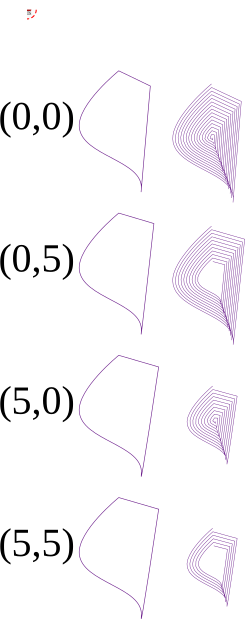 |
Set the number of lines to skip (do not embroider) at the and/or end of the run. |
| Flip every second line | Linear ripple only: whether to flip the pattern every second line or not | |
| Line distance exponent | 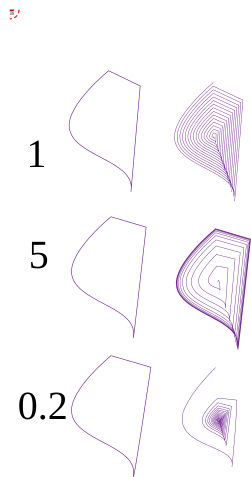 |
Doesn’t apply to satin guided ripples ◦ With default value of 1 space between replications is constant ◦ With a value greater than 1, the space between two consecutive replications increases as one moves away from the original ripple ◦ With a value smaller than 1, the space between two consecutive replications decreases as one moves away from the original ripple. |
| Flip exponent | exchange role of first and last line in the computation of line distance | |
| Reverse | Reverse the final embroidery path. Has no effect on the other parameters. | |
| Reverse rails | Reverse satin ripple rails. Default: automatically detect and fix a reversed rail. | |
| Grid size | 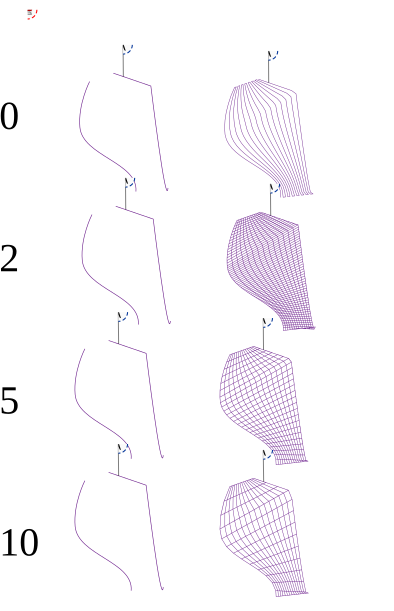 |
If the size is strictly positive a grid effect is added. The grid size controls how far apart the new lines are. |
| Stitch grid first | Reverse the stitch path, so that the grid is stitched first. | |
| Scale axes | guided ripple only | |
| Starting scale | for guided ripple only How big the first copy of the line should be, in percent. | |
| Ending scale | for guided ripple only How big the last copy of the line should be, in percent. | |
| Rotate | for guided ripple only | |
| Join Style | 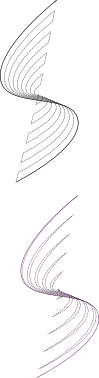 |
for non circular ripple, how the ripples are joined : Flat(top) or Point(bottom) |
| Minimum stitch length | Overwrite global minimum stitch length setting. Shorter stitches than that will be removed. | |
| Minimum jump stitch length | Overwrite global minimum jump stitch length setting. Shorter distances to the next object will have no lock stitches. | |
| Allow lock stitches | ☑ or ▢ | Enables lock stitches in only desired positions |
| Force lock stitches | ☑ or ▢ | Sew lock stitches after sewing this element, even if the distance to the next object is shorter than defined by the collapse length value in the Ink/Stitch preferences. |
| Tack stitch | Chose your favorite style | |
| Lock stitch | Chose your favorite style | |
| Trim After | ☑ | Trim the thread after sewing this object. |
| Stop After | ☑ | Stop the machine after sewing this object. Before stopping it will jump to the stop position (frame out) if defined. |
Ripple Overview
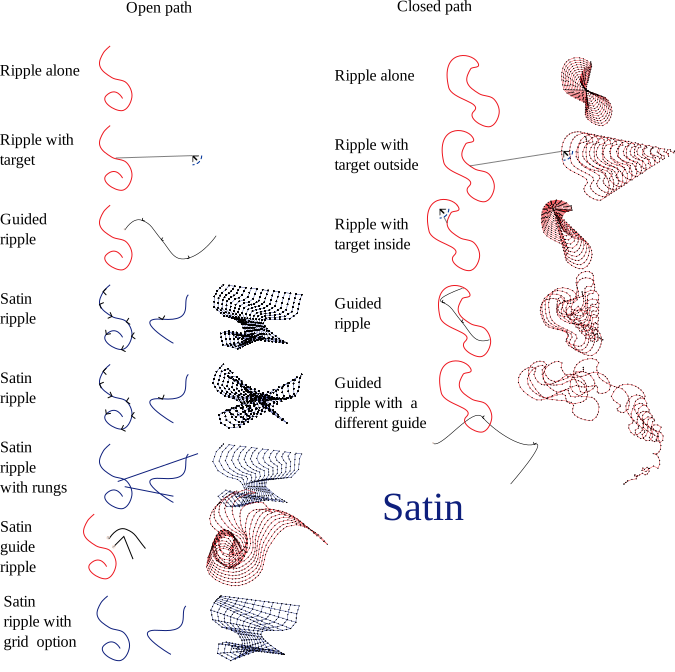
Sample Files Including Ripple Stitches
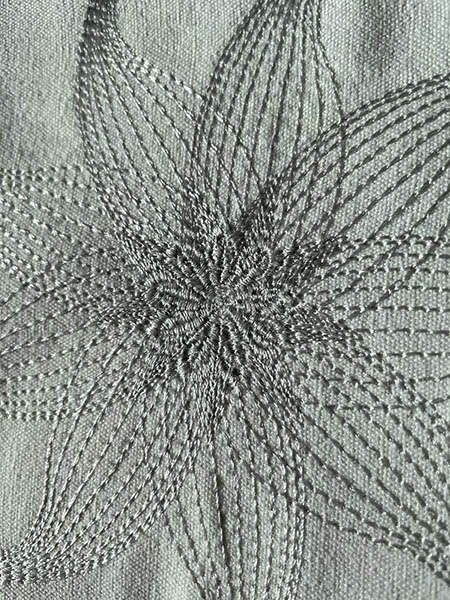
Monochrome flower, using ripple stitch and contour stitch
sample file : monochrome flower
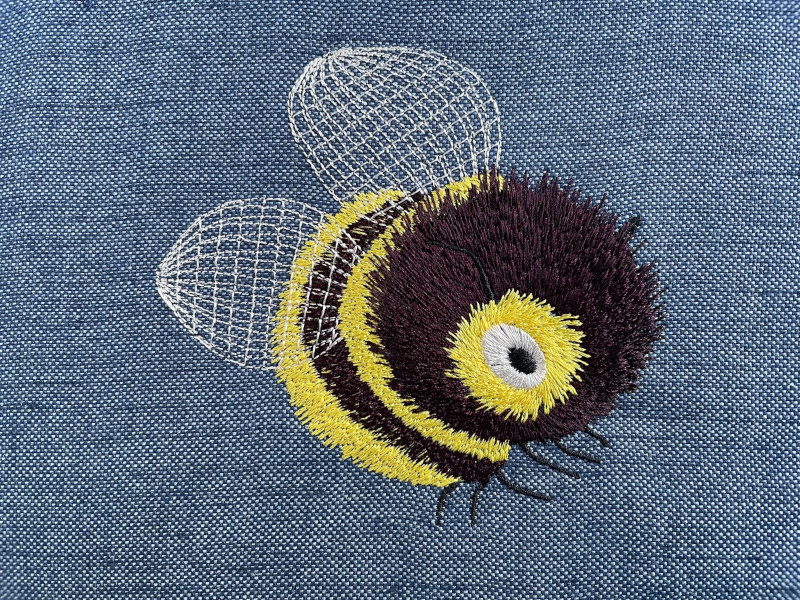
Random Satin
Random Satin
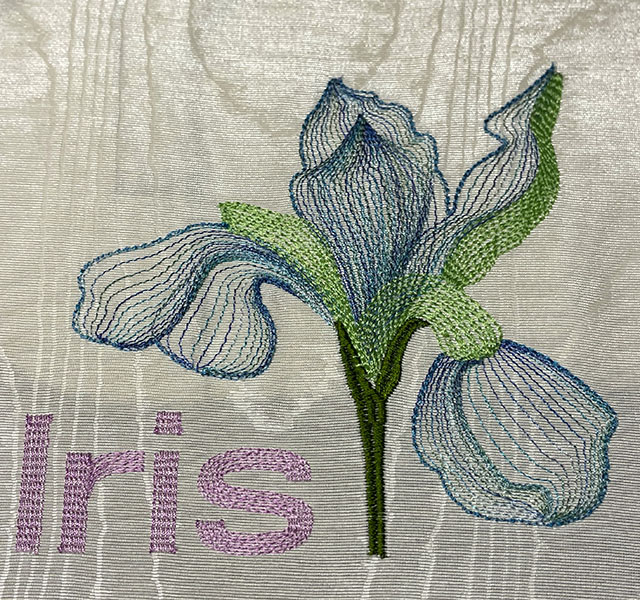
Ripple Iris
Sample file: Ripple Iris
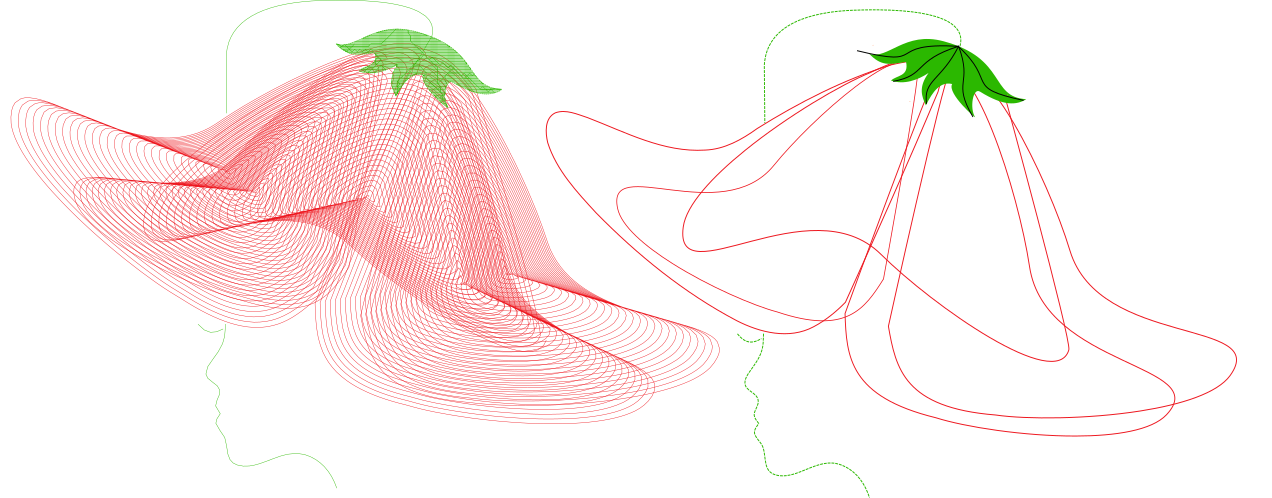
Ripple Tinkerbell Woman
Sample file: Tinkerbell Woman as sample of Pattern Stitch and Ripple Stitch
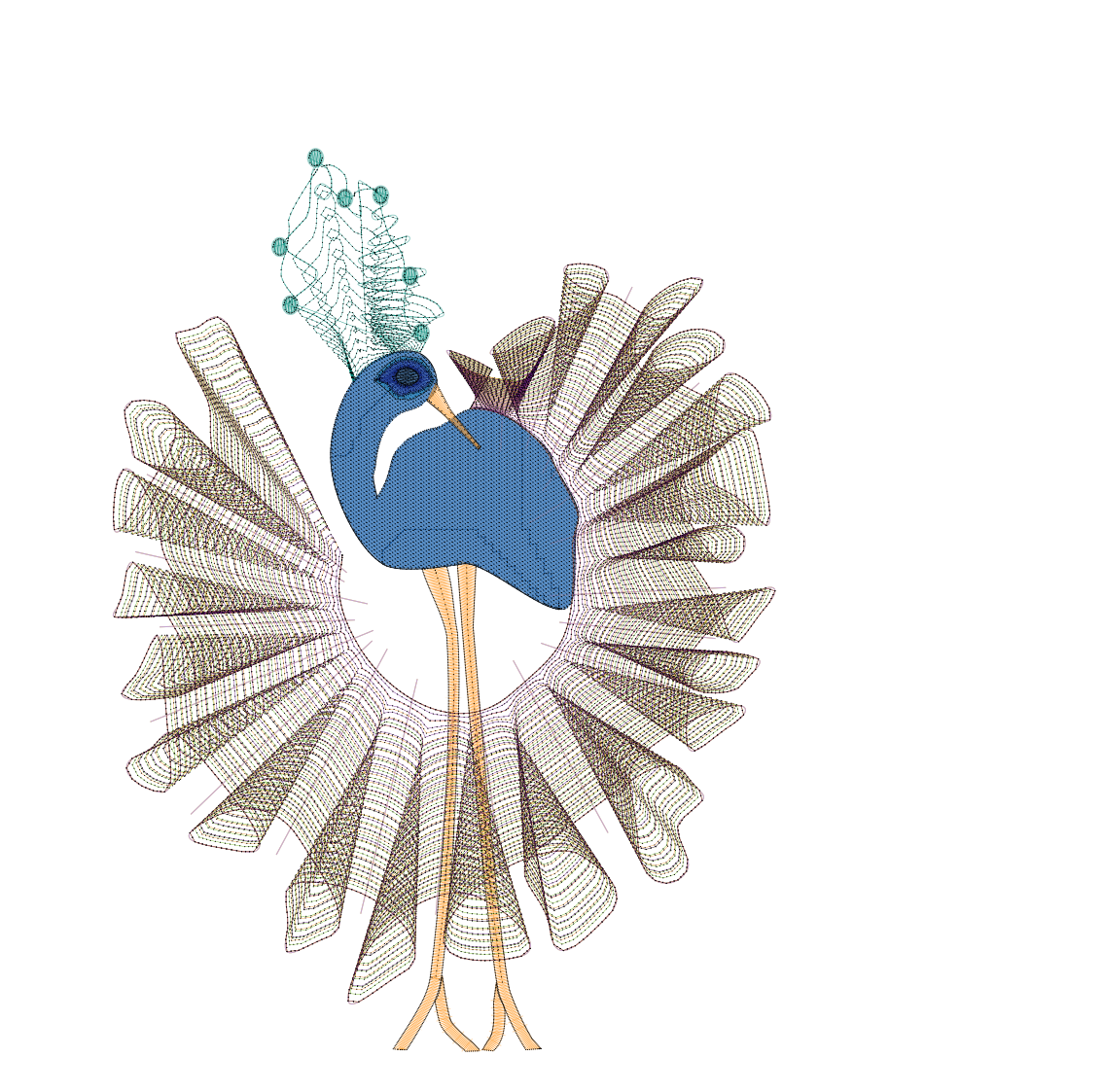
Ripple bird
Sample file of ripple stitch and guided fill bird