Cross Stitch
Description
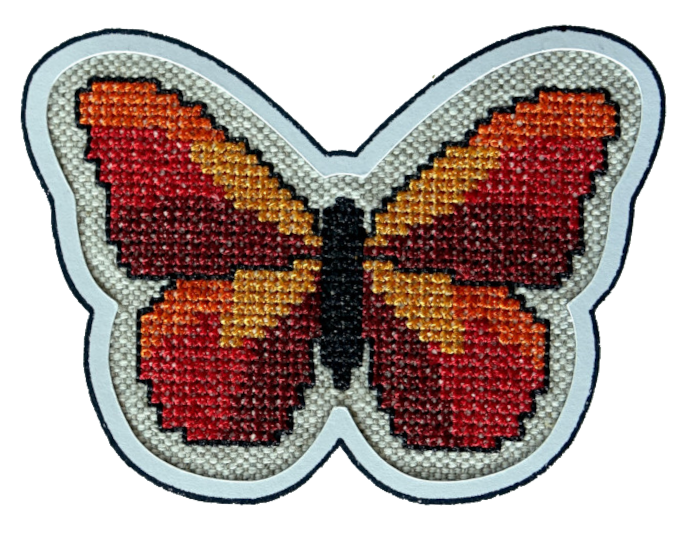
Cross stitch mimics traditional hand embroidery techniques. Cross-stitch is characterized by small, even crosses, which give the embroidered image a flat, blockish look.
Creation
- Draw a closed shape with a fill color
- Open the params dialog
- Select
Cross stitchas the fill method
Grids And The Coverage Parameter
It is important to understand the cross stitch coverage parameter.
The coverage parameter defines the percentage of overlap for each cross with the fill area. This means, it influences wether a cross is build at a specific spot or not.
Cross stitches are alignde to a grid in pattern size. The grid itself is (by default) aligned to the top left corner of the page canvas.
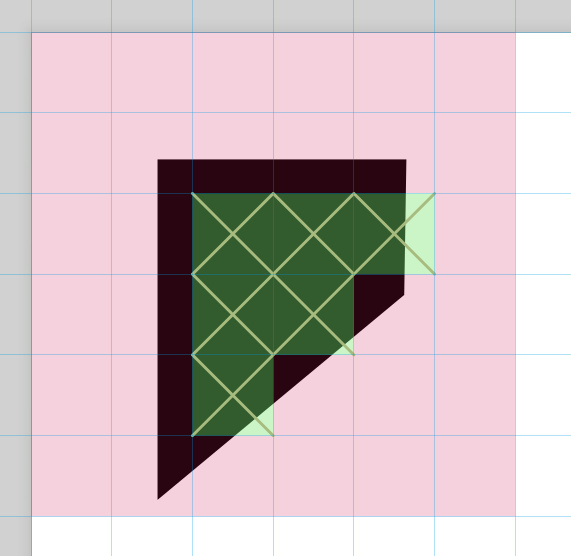
Ink/Stitch will check how much percent of each grid field is covered by the fill element. If coverage exceeds the value given by the coverage option (by default 50%), a cross stitch is build.
In the following example only the green fields are covered more than 50% by the black fill and receive a cross. When the black fill element is moved on canvas, more crosses are created.
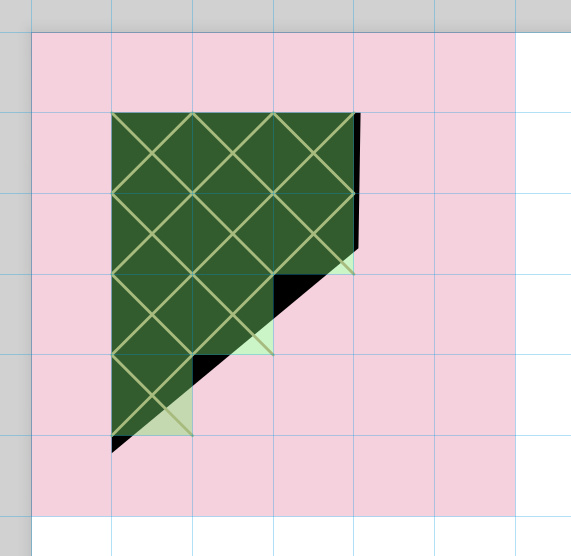
When the option Align grid with canvas is disabled, the element can be moved on canvas without changing the cross stitch result.
But adjacent cross stitch areas may be misaligned.
Cross Stitch Method
In Ink/Stitch you can choose from various cross stitch methods.
-
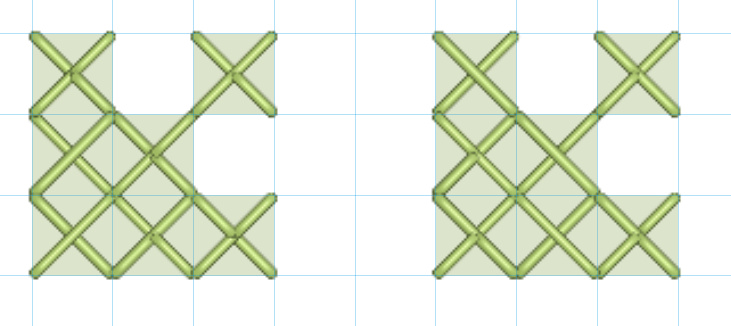
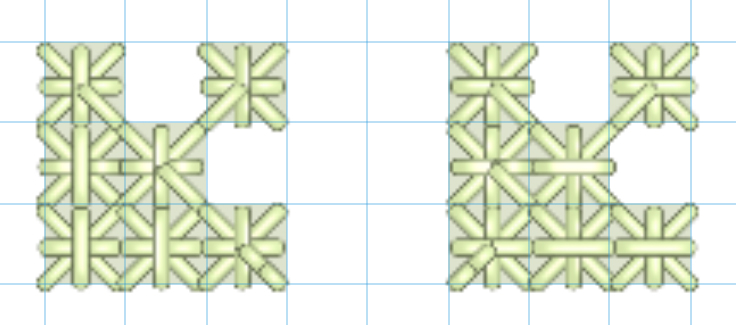
Cross stitch and cross stitch flipped
This is the most common method. Two diagonals are building a cross. When two crosses are only diagonally connected, add a small expand value to the underlying fill to ensure combined stitching.
-
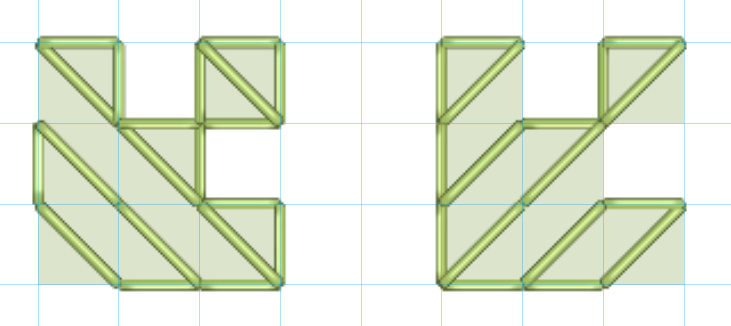
Half stitch and half stitch flipped
Half stitches build only a half cross stitch (one diagonal), traveling along the outline of the shape.
-
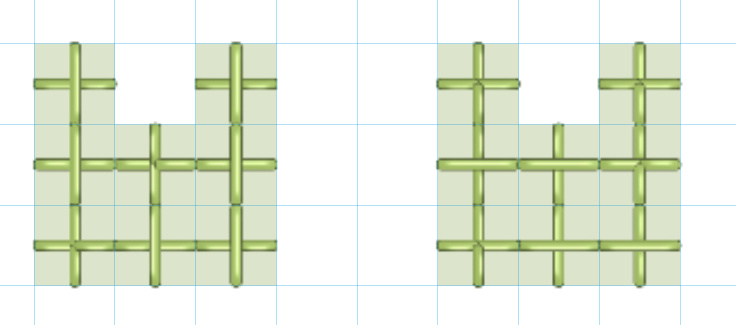
Upright cross and upright cross flipped
A cross stitch turned, building an uprigt cross. Please note, that this cross stitch method may produce jumps, when areas are connected only diagonally.
-
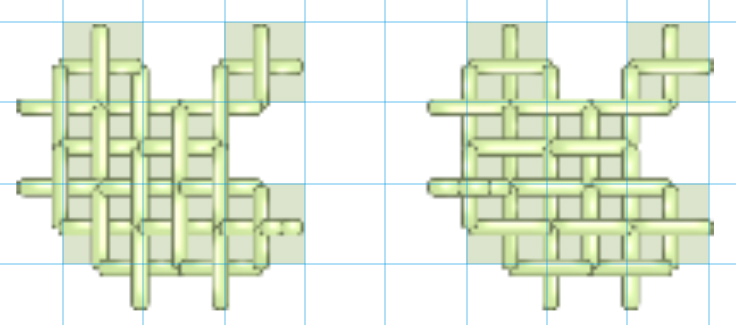
Dense upright cross and dense upright cross flipped
More upright crosses are used to fill the shape.
Coverage is set to 50% in this sample.
-
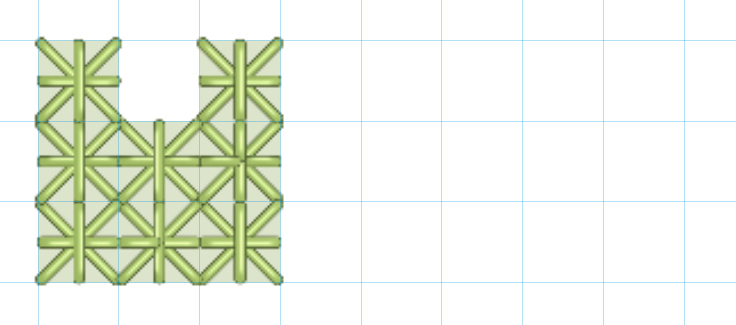
Double cross and upright double cross
A combination of cross stitch and upright stitch, with upright cross on bottom.
-
Smyrna cross and upright Smyrna cross
A combination of cross stitch and upright stitch, with upright cross on top.
Cross Stitch Assistant
Ink/Stitch comes with an extension which helps you to perform cross stitch specific tasks all at once.
- Setup a grid for cross stitch alignment (and visual support while working on cross stitches)
- Apply cross stitch params to selected elements
- Pixelize and combine the outline of selected elements, to avoid jump stitches and receive a better representation of the cross stitch positioning
- Convert bitmap images into cross stitch fill elements
It also computes and displays the stitch length given the grid dimensions. Maximum stitch length in the cross stitches parameters should be larger than this value.
Set Start and End Point
By default, an automatic fill starts as close as possible to the previous embroidery element and ends as close as possible to the next embroidery element.
To change this behavior, set start and end points for autofill objects with Visual commands.
Parameters
Run Extensions > Ink/Stitch > Params to tweak the settings to your needs.
Fill stitching
Enables or disables fill stitches for the selected object(s)
Fill method
Bean stitch number of repeats
Determines the number of times to repeat each stitch.
- A value of
0does not repeat the stitch (normal stitch) - A value of
1repeats each stitch three times (forward, back, forward). - A value of
2repeats the stitch six times. - By entering multiple numbers, it is possible to define a custom repeat pattern. For instance
0 1will create alternating single and triple stitches (≡-≡-≡).
Maximum fill stitch length
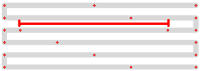
The length of each stitch in a row. “Max” is because a shorter stitch may be used at the start or end of a row.
Minimum stitch length
Stitches smaller than this value will be removed.
Overwrites the global minimum stitch length setting.
Cross stitch method
Choose method (for detailed information see above)
Pattern size
Defines the size of the cross stitch (grid)
Align grid with canvas
This ensures good alignment for adjacent cross stitch areas, but it also means that the outcome may change when the element is moved off the grid.
Disable this option to ensure, that this element stitches the same, independently on its position on the canvas.
Grid Offset
Shifts the cross stitch grid by given values. X and Y values are separated by a space. Only one input value offsets the pattern evenly for x and y.
Fill coverage
Percentage of overlap for each cross with the fill area.
Expand
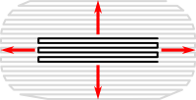
Expand the shape before fill stitching, to compensate for gaps between shapes.
It is recommended to use at least a small expand value (e.g. 0.2) on cross stitch elements.
Minimum jump stitch length
Shorter distances to the next object will have no lock stitches.
Overwrites the global minimum jump stitch length setting.
Allow lock stitches
Enables lock stitches in only desired positions
Force lock stitches
If checked, lock stitches are sewn after this element,regardless of the minimum jump stitch length value.
Tack stitch
Determines the type of tack stitch.
Tack stitches are small stitches at the beginning of a stitch. They help to secure the beginning of the thread.
Read more
Lock stitch
Determines the type of lock stitch.
Lock stitches are small stitches at the end of stitch. They help to secure the end of the thread.
Read more
Scale tack stitch / Scale lock stitch
Some lock stitches have a scaling option in either mm or percent.
Custom path
This setting is only available for custom lock stitches.
Enter a custom mm or svg path.
The first node of an svg path will not be emboirdered, but represents the first (tack) or last (lock) stitch of the element.
Read more
Trim After
Determines if the thread is trimmed after sewing this object.
Stop After
Determines if the machine is stopped after sewing this object. Before stopping it will jump to the stop position (frame out) if defined.
Sample Files Including Cross Stitches
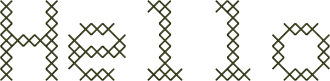
Cross Stitch Lettering
Cross Stitch Lettering
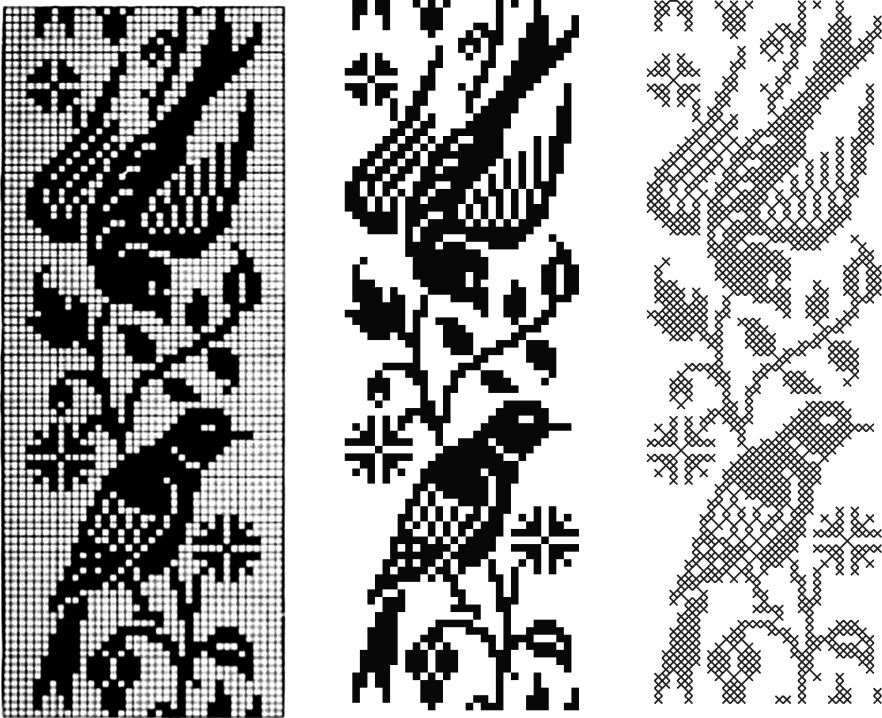
From hand cross stitch embroidery chart to cross stitch fills
Using the cross stitch assistant to convert a cross stitch chart intended for hand embroidery
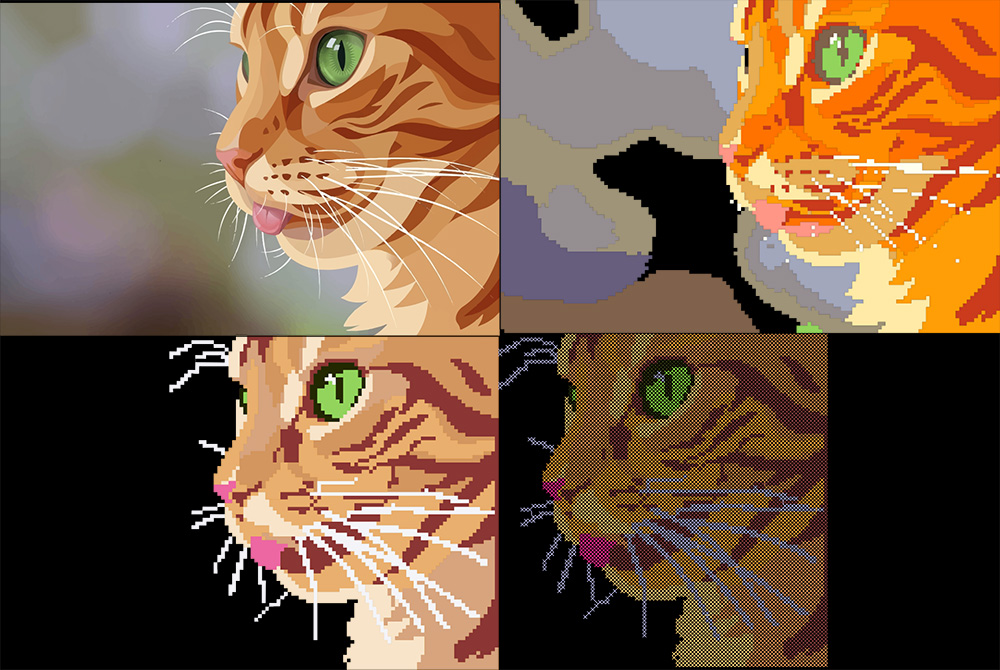
From image to Cross Stitch
Using the Cross Stitch Assistant to convert an Image into Cross Stitch Fills
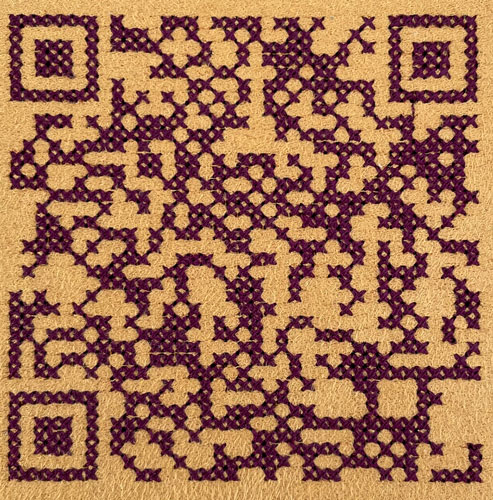
QR code
Create a cross Stitch QR Code