S-Stitch
Description
“S-Stitch” is a satin column that looks like a curvy fill.
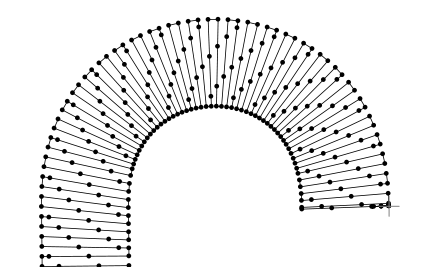
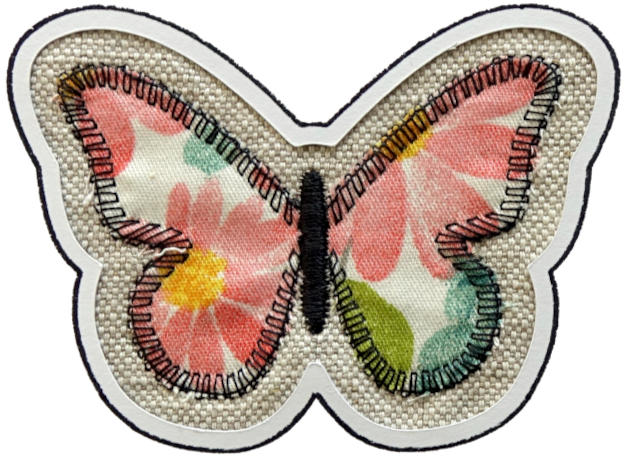
Creation
Prepare your path exactly as you would with a Satin Column.
But in Params chose "S" stitch as Method.
If you set a maximum stitch length, you will be able to chose among three split methods. If you chose the staggered method, then as for a fill you will be able to set “Stagger this many times before repeating”.
Parameters
Custom satin column
Must be enabled for these settings to take effect.
Method
Select S-Stitch
Maximum stitch length
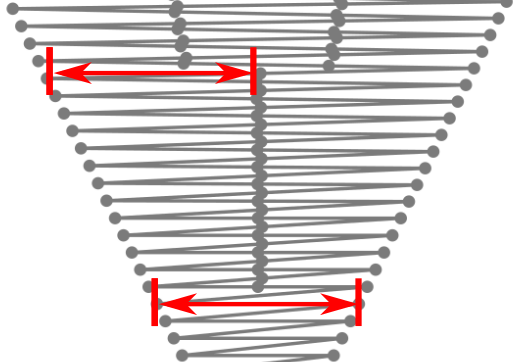
Stitches wider than this will be split up (split stitches).
Minimum stitch length
Stitches smaller than this value will be removed.
Overwrites the global minimum stitch length setting.
Split Method

Split stitches apply, when a maximum stitch length is set and the stitch length exceeds this value. Options:
- default
- Simple
- Staggered
Random Jitter for split stitches
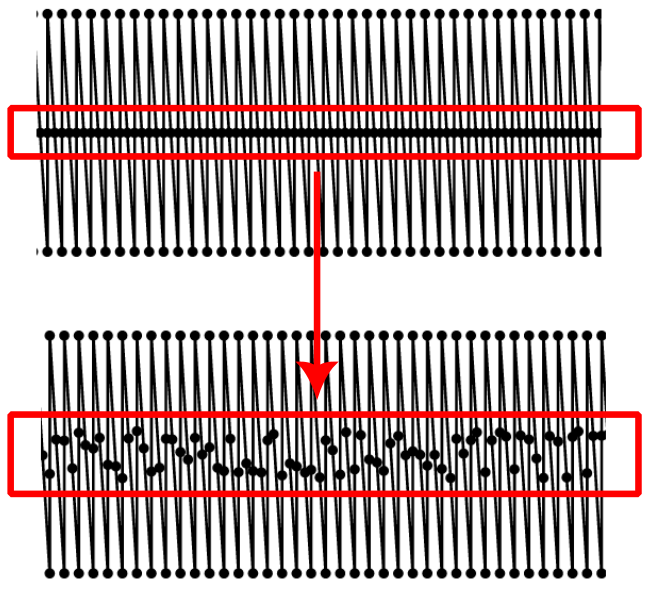
Randomizes split stitch length if random phase is enabled, stitch position if disabled.
Random Phase for split stitches
Controls whether split stitches are centered or with a random phase (which may increase stitch count).
Stagger this many times before repeating
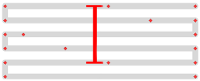
Stitches are staggered so that neighboring rows of stitches don’t all fall in the same column (which would create a distracting valley effect).
Setting this dictates the length of the cycle by which successive stitch rows are staggered.
Fractional values are allowed and can have less visible diagonals than integer values.
Active only when split method is staggered
Minimum length for random-phase split
Defaults to maximum stitch length. Smaller values allow for a transition between single-stitch and split-stitch.
Short stitch distance
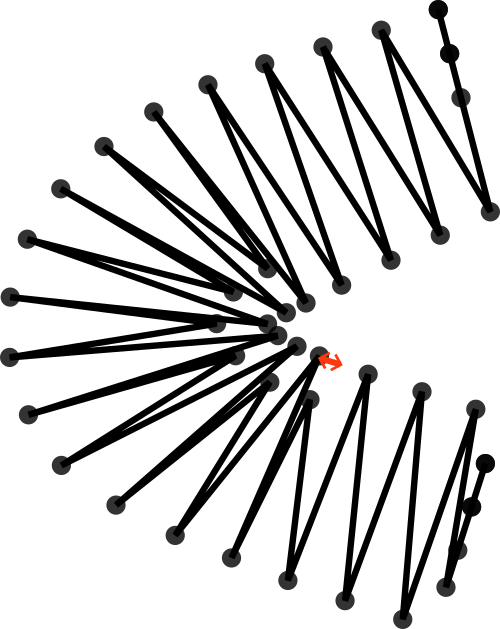
Shortens stitchen when the distance between consecutive stitches is smaller than this value (mm).
Short stitch inset
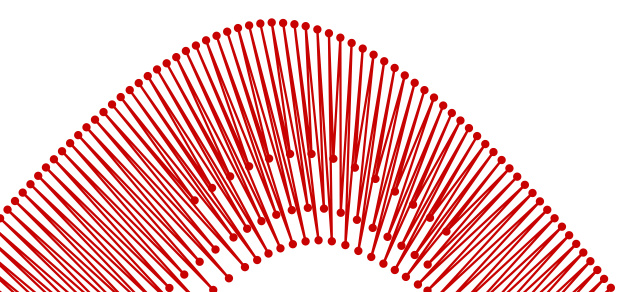
Stitches in areas with high density will be inset by this amount (%)
Short stitch inset can take multiple values separated by a space.
When multiple values are set, the satin column will use these to level consecutive short stitches
Pull compensation (%)

Additional pull compensation which varies as a percentage of stitch width. Two values separated by a space may be used for an asymetric effect.
Pull compensation (mm)
Satin stitches pull the fabric together, resulting in a column narrower than you draw in Inkscape.
This setting expands each pair of needle penetrations outward from the center of the satin column by a fixed length.
Two values separated by a space may be used for an asymetric effect.
Negative values lead to the opposite effect.
Random percentage of satin width increase
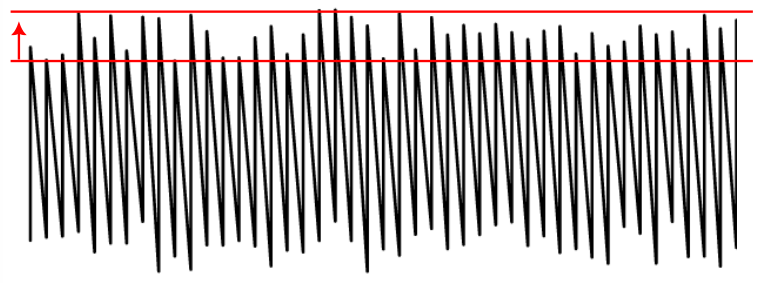
Lengthen stitch across rails at most this percent. Two values separated by a space may be used for an asymetric effect.
Random percentage of satin width decrease
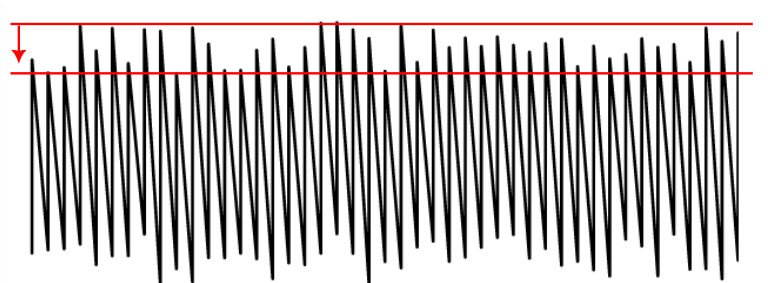
Shorten stitch across rails at most this percent. Two values separated by a space may be used for an aysmmetric effect.
Zig-zag spacing (peak-to-peak)
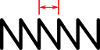
The peak-to-peak distance between zig-zags
Random zig-zag spacing percentage
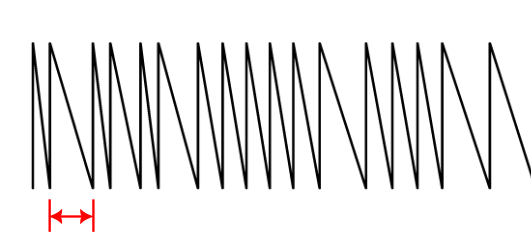
Amount of random jitter added to zigzag spacing
Stitch length
Stitch length (in mm) of the underpaths from section to section
Running stitch position
Position of underpath from between the rails. 0% is along the first rail, 50% is centered, 100% is along the second rail.
Random seed
Change the result of random stitches.
If empty, the seed is the element ID.
Re-roll if you are not happy with the result.
Reverse rails
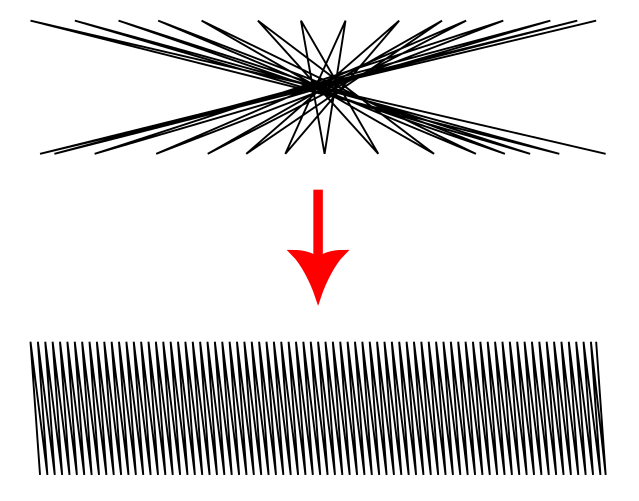
Enabling this may help if your satin renders very strangely. Options are:
- Automatic: detect and fix rails with opposing directions (default)
- Don’t reverse , disable automatic detection
- Reverse first rail
- Reverse second rail
- Reverse both rails
Swap rails
Swaps the first and the second rails of a satin column. Affecting which side the thread finishes on as well as any other sided property.
Start at nearest point
Start at nearest point to the previous element. A start position command will overwrite this setting.
End at nearest point
End at nearest point to the next element. An end position command will overwrite this setting.
Minimum jump stitch length
Shorter distances to the next object will have no lock stitches.
Overwrites the global minimum jump stitch length setting.
Allow lock stitches
Enables lock stitches in only desired positions
Force lock stitches
If checked, lock stitches are sewn after this element,regardless of the minimum jump stitch length value.
Tack stitch
Determines the type of tack stitch.
Tack stitches are small stitches at the beginning of a stitch. They help to secure the beginning of the thread.
Read more
Lock stitch
Determines the type of lock stitch.
Lock stitches are small stitches at the end of stitch. They help to secure the end of the thread.
Read more
Scale tack stitch / Scale lock stitch
Some lock stitches have a scaling option in either mm or percent.
Custom path
This setting is only available for custom lock stitches.
Enter a custom mm or svg path.
The first node of an svg path will not be emboirdered, but represents the first (tack) or last (lock) stitch of the element.
Read more
Trim After
Determines if the thread is trimmed after sewing this object.
Stop After
Determines if the machine is stopped after sewing this object. Before stopping it will jump to the stop position (frame out) if defined.
For the underlay params have a look at the satin stitch params.