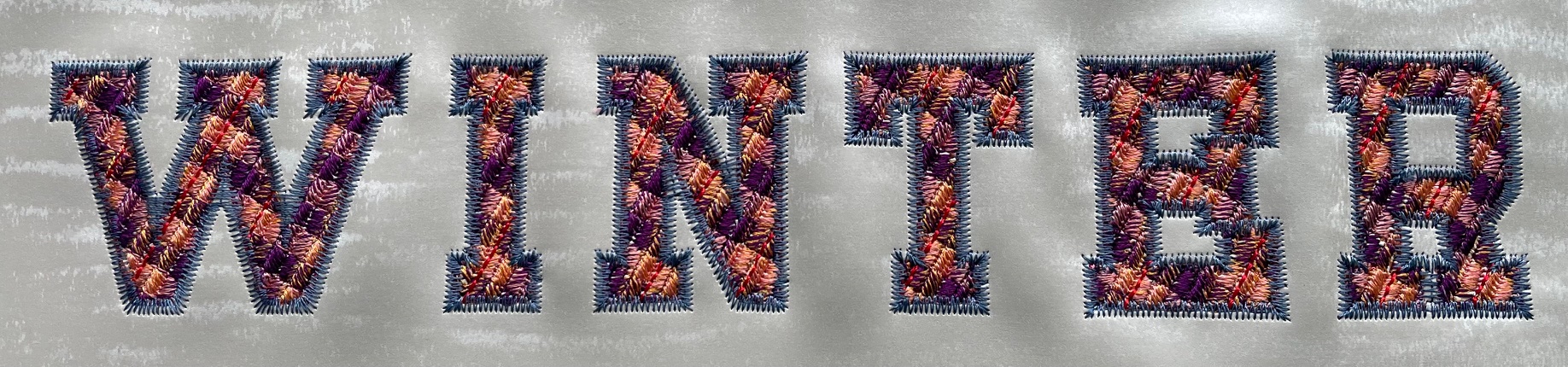
Linear Gradient Fill
Description
Linear gradient fill uses Inkscapes linear gradient color to create seamless gradients with a consistent stitch positioning.


Creation
- Create a closed path. The shape may have holes.
- In the
Fill and Strokedialog, select a linear gradient as a fill and adjust colors. On canvas adjust the gradient angle. The stitch angle will have a 90 degree angle to gradient direction.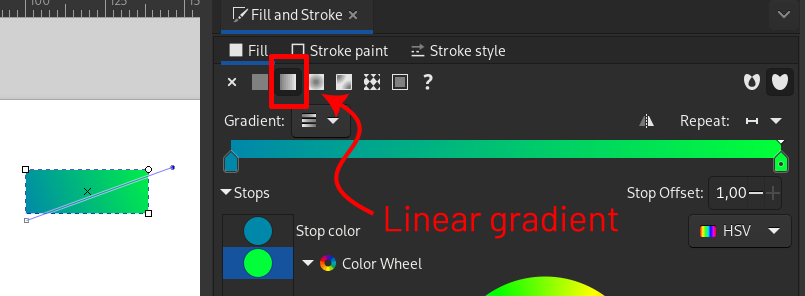
- Open the params dialog (
Extensions > Ink/Stitch > Params) and selectLinear Gradient Fillas the fill method Set the params as you wish and Apply
Set Start and End Point
Set start and end points for autofill objects with Visual commands.
Parameters
Run Extensions > Ink/Stitch > Params to tweak the settings to your needs.
Fill stitching
Enables or disables fill stitches for the selected object(s)
Fill method
Select Linear Gradient Fill
Maximum fill stitch length
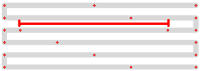
The length of each stitch in a row. “Max” is because a shorter stitch may be used at the start or end of a row.
Randomize stitch length
Allows for randomize stitch length.
Random stitch length jitter
Only available if Randomize stitch length is selected. Determines the variation in the length of each stitch.
Minimum stitch length
Stitches smaller than this value will be removed.
Overwrites the global minimum stitch length setting.
Stagger rows this many times before repeating
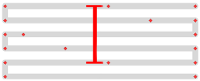
Stitches are staggered so that neighboring rows of stitches don’t all fall in the same column (which would create a distracting valley effect).
Setting this dictates the length of the cycle by which successive stitch rows are staggered.
Fractional values are allowed and can have less visible diagonals than integer values.
Expand
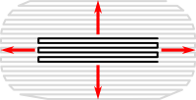
Expand the shape before fill stitching, to compensate for gaps between shapes.
Spacing between rows

Distance between rows of stitches
Skip last stitch in each row
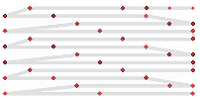
The last stitch in each row is quite close to the first stitch in the next row. Skipping it decreases stitch count and density.
Stitch length
Stitch length (in mm) of the underpaths from section to section
Running stitch tolerance
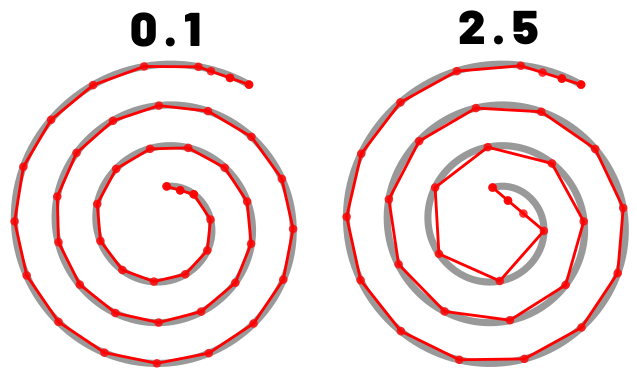
Determines the acceptable distance from the path. A lower tolerance will bring the stitches closer together. A higher tolerance allows for stitches to be farther away from the path. A higher tolerance may mean sharp corners may be rounded.
Random seed
Change the result of random stitches.
If empty, the seed is the element ID.
Re-roll if you are not happy with the result.
Stop at ending point
If this option is disabled, the ending point will only be used to define a general direction for stitch routing. When enabled the last section will end at the defined spot.
Minimum jump stitch length
Shorter distances to the next object will have no lock stitches.
Overwrites the global minimum jump stitch length setting.
Allow lock stitches
Enables lock stitches in only desired positions
Force lock stitches
If checked, lock stitches are sewn after this element,regardless of the minimum jump stitch length value.
Tack stitch
Determines the type of tack stitch.
Tack stitches are small stitches at the beginning of a stitch. They help to secure the beginning of the thread.
Read more
Lock stitch
Determines the type of lock stitch.
Lock stitches are small stitches at the end of stitch. They help to secure the end of the thread.
Read more
Scale tack stitch / Scale lock stitch
Some lock stitches have a scaling option in either mm or percent.
Custom path
This setting is only available for custom lock stitches.
Enter a custom mm or svg path.
The first node of an svg path will not be emboirdered, but represents the first (tack) or last (lock) stitch of the element.
Read more
Trim After
Determines if the thread is trimmed after sewing this object.
Stop After
Determines if the machine is stopped after sewing this object. Before stopping it will jump to the stop position (frame out) if defined.
Underlay
Underlay in Linear Gradient Fill is the same as for Auto Fill and uses the fill angle which can be defined in the underlay params.